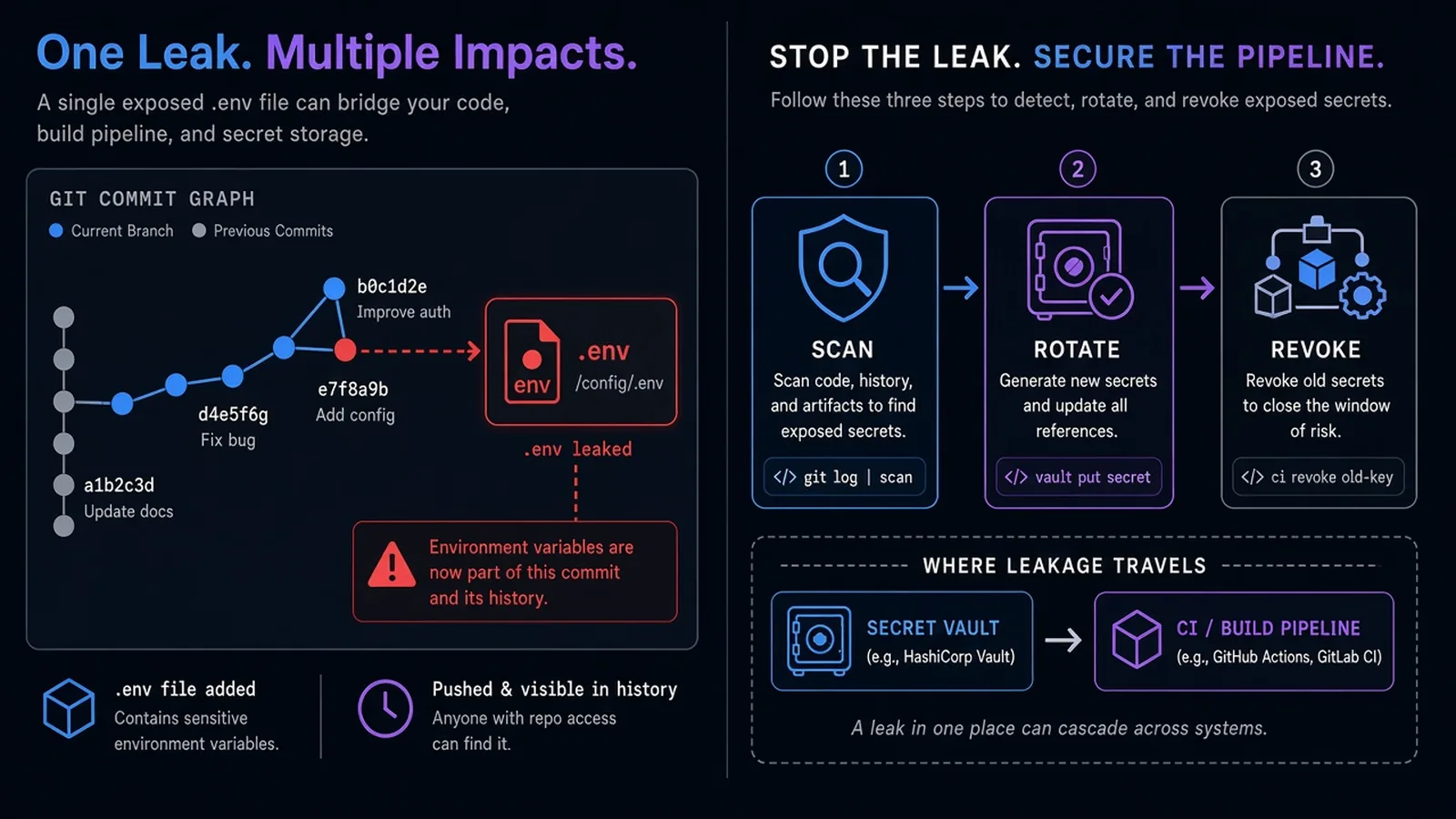
A .env file in a commit is not a "whoops, we gitignored it later" story. Git history keeps the key. Forks, CI caches, laptop clones, and "that intern's zip from 2023" keep it too. Rotating the credential is the fix. Deleting the file is hygiene after the fact.
This is the working pattern we use on product and cloud / DevOps engagements: keep secrets out of the repo, inject them where the process actually runs, and assume leak-and-rotate will still happen.
JWT design is a different article (JWT authentication explained). This one is about the strings that unlock other systems.
What Counts as a Secret
Treat as secret anything that grants access or signs trust:
- API keys, webhook secrets, database URLs with passwords
- Cloud access keys and session tokens
- Private keys,
.pemmaterial, signing certs - Customer tokens copied into fixtures "just for local"
Not secrets: public site keys that are designed to ship to the browser (still restrict them by domain), OpenAPI URLs, non-sensitive feature flags.
If you are unsure, it is a secret until a threat model says otherwise.
The Failure Mode Is Cultural, Then Technical
Teams leak secrets because the happy path is paste.
- Slack: "here's the staging Stripe key"
- README:
cp .env.example .envthen someone fills production values - Docker Compose:
POSTGRES_PASSWORD=postgrescommitted "for local" and reused in staging - GitHub Actions: a secret pasted into a
echostep that prints in logs
Tools help. Defaults help more. If local setup requires hunting for a password in chat, people will commit a file that "just works."
A Baseline That Survives Real Teams
1. Never commit the live file
.env,.env.local,appsettings.*.jsonwith real values,secrets.json,*.pemin.gitignoreand a server-side ignore if you use one- Commit
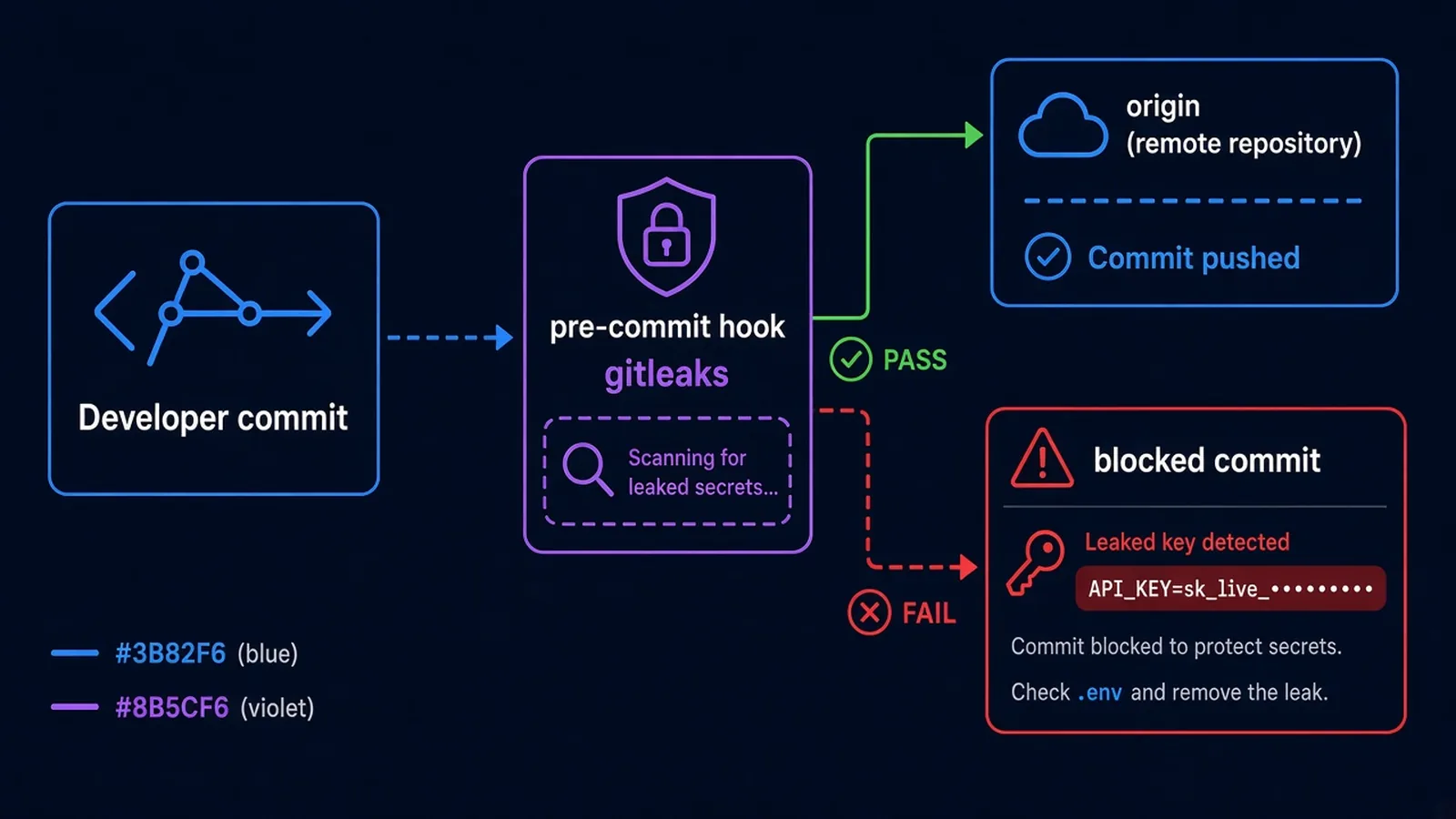
.env.examplewith empty or fake placeholders and comments for each key name - Add a pre-commit hook (
gitleaks,trufflehog, ordetect-secrets) so the first leak is a failed commit, not a Slack apology
Example files are documentation. They are not credentials.
2. Inject at runtime, per environment
| Where the app runs | Where the secret should live |
|---|---|
| Local laptop | OS keychain, a local vault, or a gitignored file generated from a vault |
| CI | The CI secret store (GitHub Actions / GitLab CI variables) - never in YAML |
| Staging / prod | Cloud secret manager or platform env (AWS Secrets Manager, SSM, Azure Key Vault, container env from the orchestrator) |
Application code should read process.env.DATABASE_URL, not fs.readFileSync('.env.production') from the repo.
For GitHub-hosted pipelines, prefer OIDC to cloud roles over long-lived access keys in repo secrets. That pattern is in our GitHub Actions CI/CD guide.
3. Different values per environment
Production credentials must not work in a developer's Docker Compose. Staging should not share the production Stripe account "to make QA easier." Blast radius is the point of environments - the same reason a boring AWS baseline separates accounts or at least IAM boundaries.
4. Rotate on a calendar, and on incident
Schedule rotation for high-value keys (cloud roots, payment, email). Rotate immediately if a key hit git, a ticket, or a screenshot. Removing the commit with git filter-repo is optional cleanup; invalidating the credential is mandatory.
Assume copies exist. Rewrite history only if you also rotate and notify anyone who cloned.
Local Developer Experience
Friction is why secrets land in git. Reduce it:
- One command that writes a gitignored
.envfrom an approved store - Document the key names, not the values, in the README
- For .NET, keep
launchSettings.jsonfree of production connection strings; use user secrets or injected files - For Node,
dotenvlocally is fine; do not rely on it in production containers
Myrafy builds Sealed for this gap: a local-first encrypted vault that injects .env or launchSettings.json without storing plaintext in git. Use it, or 1Password/Bitwarden CLI, or direnv plus a team store - the product matters less than one approved path.
If you are debugging a JWT, hash, or Base64 blob, use browser-local tools so the string never goes to a random paste site. (Our tools run in the browser; they are not a vault.)
CI: The Second Most Common Leak
Typical mistakes:
echo $SECRETin a debug step- Printing env dumps on failure
- Checking in
serverless.ymlor Helm values with base64 "encrypted" strings that are still in the repo - Using the same GitHub secret for fork PRs (untrusted code can steal
pull_request_targetsecrets if you misconfigure)
Rules of thumb:
- Mask secrets in the CI UI
- Do not pass production secrets to jobs that run untrusted PR code
- Prefer short-lived cloud credentials over static keys
- Store Terraform state (and its secrets) in a backend with encryption - not in the repo next to your Terraform modules
If It Already Leaked
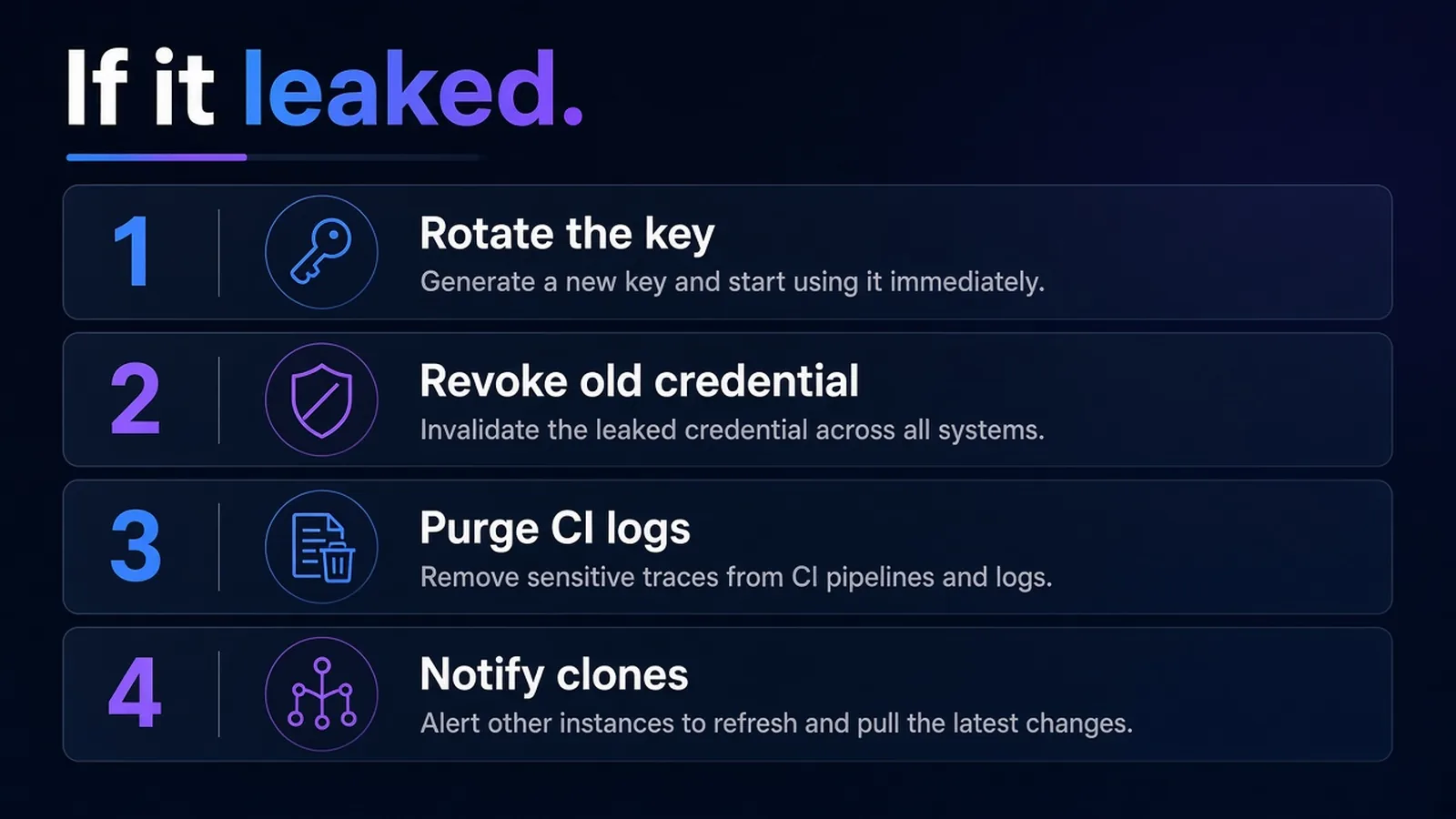
- Revoke / rotate the credential at the provider. Do this first.
- Check access logs if the vendor offers them.
- Purge from chat, tickets, and wiki.
- Optional: history rewrite, then force every clone to re-fetch - only after rotation, and only if you control all remotes.
- Add the scanner to CI so the next leak fails the build.
Do not announce "we deleted the file" as the incident close.
What to Put in the SOW
If you hire a company to set this up, the SOW should name:
- Secret store per environment
- Who can mint credentials
- Rotation owner
- Scanner in CI
- Explicit "no secrets in git" acceptance
This is cheaper than a production key in a public fork.
The Bottom Line
Stop committing secrets to git by making the default path a vault or a platform secret, not a file that "we'll gitignore later." Example env files, scanners, per-environment values, OIDC in CI, and a rotation habit beat any single product.
If a key hit history, rotate it. Then fix the path so the next engineer is not tempted to paste.
Need a secrets and CI baseline with your cloud setup? See Myrafy cloud & DevOps or contact us for a free estimate. For a local vault, look at Sealed.