Startups do not fail because they lacked a service mesh. They fail because production was a laptop deploy, nobody owned backups, and the first traffic spike became an outage with no logs.
AWS DevOps for an early-stage product should be boring, documented, and repeatable. This guide is a practical baseline for MVP-to-Series-A teams - enough to sleep at night, not so much that you spend the runway on YAML.
What "Good Enough" Looks Like Before Product-Market Fit
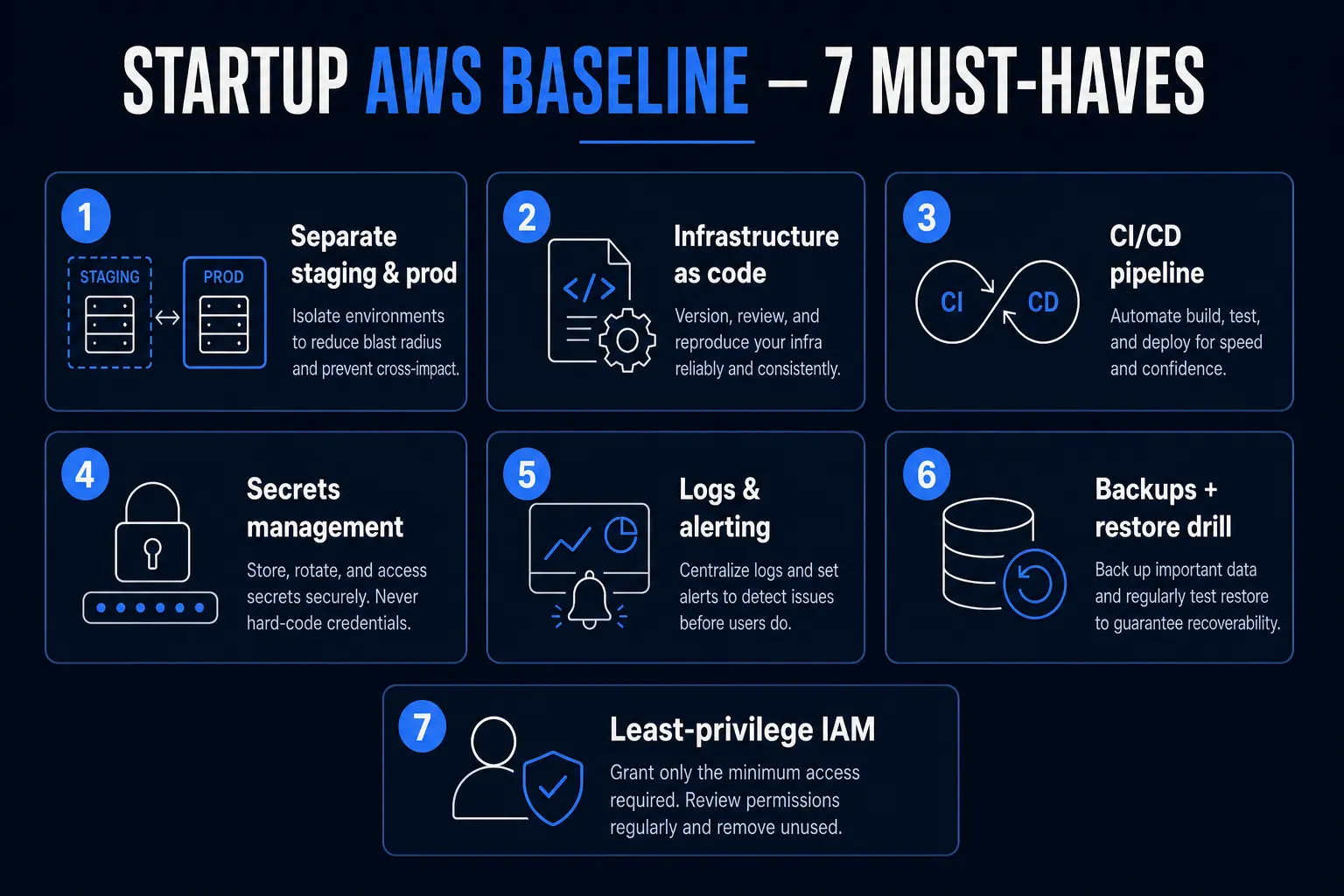
At MVP stage you usually need:
- Separate environments - at least
stagingandproduction - Infrastructure as code - Terraform or CDK, not click-ops nobody can reproduce
- CI/CD - push to main → tests → deploy staging; tagged/manual promote to prod
- Secrets management - SSM Parameter Store / Secrets Manager, not
.envin Slack - Observability - logs, basic metrics, error alerting to a human channel
- Backups + restore drill - a backup you have never restored is a hope, not a plan
- Least-privilege IAM - no shared root keys on engineering laptops
If you only do those seven, you are ahead of most seed-stage teams.
Recommended Starting Architecture (Web/SaaS MVP)
A common, cost-aware pattern:
| Piece | Startup-friendly choice |
|---|---|
| Compute | ECS Fargate, App Runner, or Elastic Beanstalk - or keep app on Vercel/Railway and use AWS for data |
| Database | RDS Postgres (Multi-AZ when revenue depends on it) |
| Object storage | S3 |
| CDN / static | CloudFront (or Vercel/Cloudflare in front) |
| Auth | Cognito or a managed auth vendor - do not invent auth |
| Secrets | Secrets Manager / SSM |
| CI | GitHub Actions |
| IaC | Terraform |
| DNS | Route 53 |
You can also run the frontend on Vercel and keep RDS + S3 + SES + VPN-ish admin access on AWS. Hybrid is normal. Purity is optional.
For product cost context while you plan infra spend, see MVP development cost in India and custom software costs in 2026.
What to Delay (On Purpose)
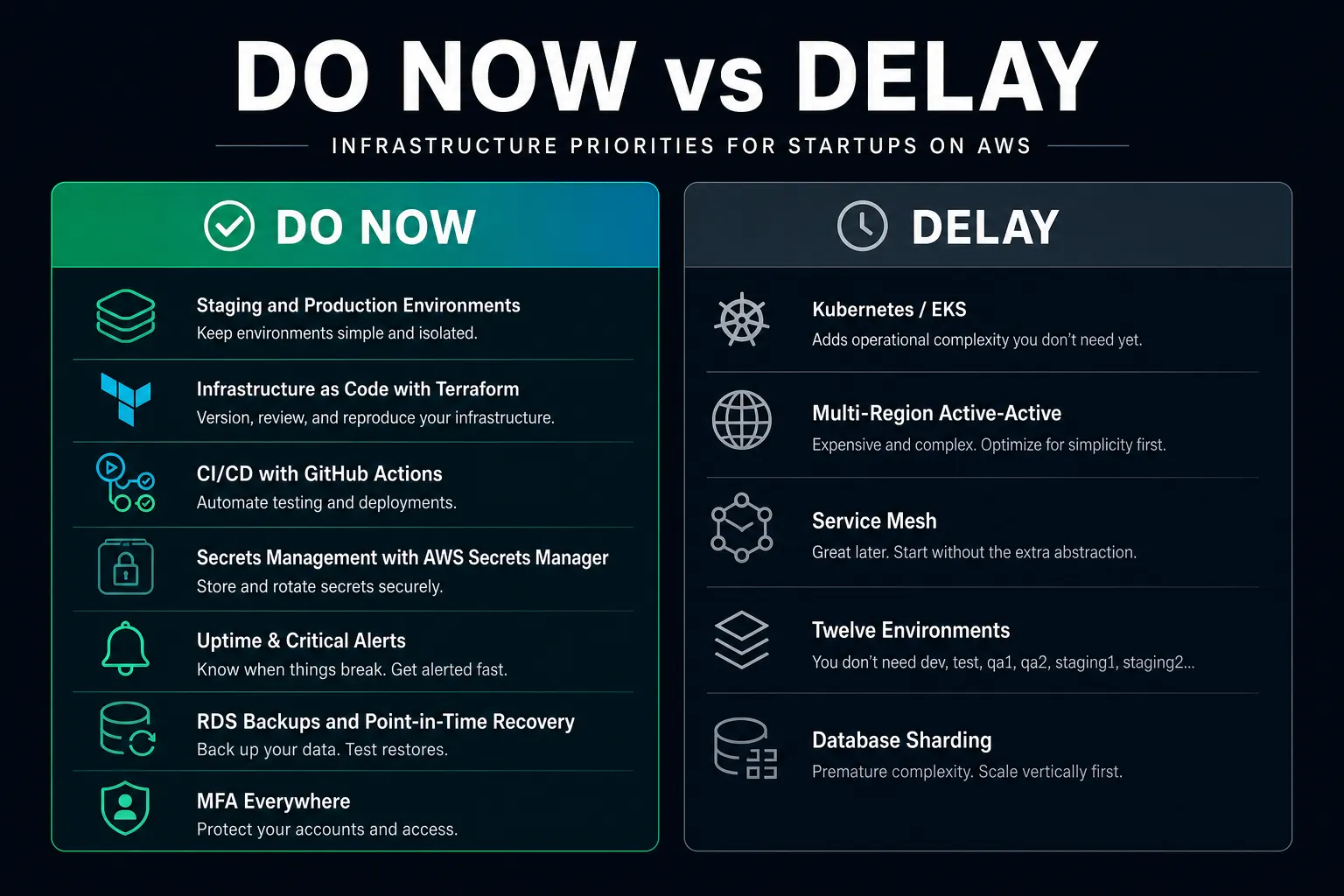
- EKS / heavy Kubernetes - unless you already have the skills and a reason
- Multi-region active-active - after you have customers and a clear RTO/RPO
- Service mesh, fancy GitOps, and twelve environments - complexity tax
- Over-sharding databases - one well-backed-up Postgres goes a long way
Complexity is a hiring plan. Do not adopt it as a personality trait.
Environments and Promotion Flow
Staging should mirror production closely enough that "works on staging" means something - same major DB engine, similar config shape, anonymized or synthetic data.
Production deploys should be:
- Triggered deliberately (tag, approval, or protected workflow)
- Logged
- Reversible (previous task definition / previous image)
Feature flags help you deploy dark and turn features on without heroic rollbacks.
CI/CD Without Theater
A minimal GitHub Actions pipeline:
- Install + lint + unit tests
- Build container or app artifact
- Run migrations as a controlled step (never casually from a laptop against prod)
- Deploy staging automatically on
main - Deploy production on approval or release tag
Add smoke tests against staging (homepage, login, one critical API). Catching a broken deploy in five minutes beats discovering it via Twitter.
Security Baseline Founders Skip
- Turn on MFA for AWS root and all humans
- Use IAM Identity Center (or strict IAM users) - no long-lived access keys in git
- Enable CloudTrail in the org/account
- S3 buckets: block public access by default; explicit exceptions only
- Security groups: least ports; no
0.0.0.0/0on databases - Encrypt disks and buckets (SSE) - it is the default you should keep
Security debt compounds faster than tech debt because it turns into incident response.
Monitoring That Pages a Human
Start simple:
- Uptime check on the marketing site and
/health - Error rate / 5xx alarms
- Database CPU, storage, and free memory
- Disk/queue depth if you have workers
- Budget alarms (AWS Budgets) - cloud bills love silent growth
Send alerts to a Slack/Teams channel that people actually watch. A dashboard nobody opens is decoration.
Cost Control on AWS
AWS is powerful and easy to overspend.
- Prefer Fargate / small RDS over always-on oversized EC2 "just in case"
- Turn off unused NAT gateways and idle load balancers in sandbox accounts
- Use Savings Plans only after usage is stable
- Tag resources by
envandservicefrom day one - Set a monthly budget alert at 50%, 80%, 100%
A tidy account is cheaper than a clever architecture with orphan resources.
What a Setup Engagement Usually Costs
| Scope | Typical range |
|---|---|
| Harden an existing messy account + CI | $2,000 - $6,000 |
| Greenfield baseline (IaC + staging/prod + CI/CD + monitoring) | $5,000 - $15,000 |
| Plus containerization, RDS, and runbooks | $10,000 - $25,000 |
| Ongoing DevOps retainer | $1,500 - $6,000 / month |
India-based senior DevOps/cloud engineers often deliver this baseline at a better rate than US agency packages - same pattern as product engineering hiring (hire in India on a company SOW).
Runbooks Beat Heroics
Write one-pagers for:
- How to deploy
- How to roll back
- How to restore the database
- Who gets paged and how
- Where secrets live
When the founder is on a flight and production breaks, the runbook is the product.
The Bottom Line
AWS DevOps for startups is not about using every AWS service. It is about reproducible environments, safe deploys, guarded secrets, visible failures, and recoverable data. Start boring. Automate the path you already trust. Add complexity when traffic - not Twitter threads - demands it.
Need a production-ready AWS baseline for your MVP? See Myrafy cloud & DevOps services or contact us for a free estimate.